
Segments in PropFuel
Segments are groups of contacts. Segments can share common demographics – like working in the same area. Segments can also share the same behaviors – like interest in networking opportunities.
Segments serve as the foundational layer in PropFuel for organizing contacts and managing them within campaigns. They help define precise audiences for campaigns, track engagement patterns, and examine the actions and sentiment of specific cohorts, ensuring the right message reaches the right people.
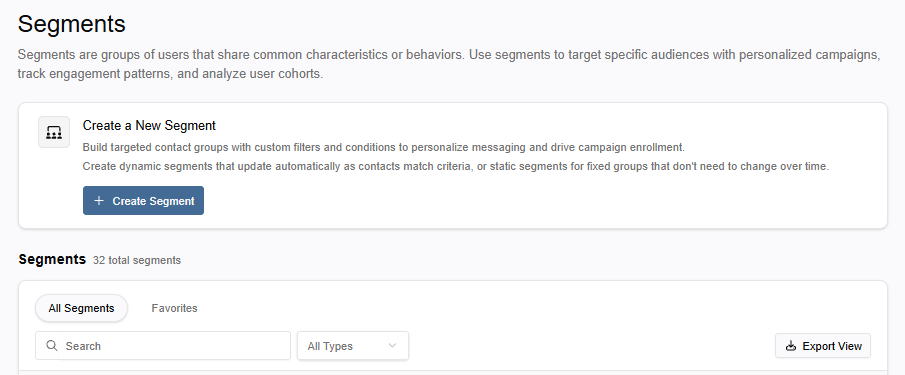
Segments Home Page
The Segments home page, found by clicking Segments in the left navigation, is your starting point for creating and managing segments. From this page, you can create a new segment, view a list of all existing segments, or select a specific segment to review or make edits.
The Segment Profile
The Segment Profile is the detailed view of an individual segment where you can analyze and manage the segment.
In the top-right corner of the profile, you can view the timestamp of the last check for contact updates. To run a manual check at any time, click the Run Now button.
The Segment profile consists of five tabs:

Overview: Displays the activity of the segment and its contacts with metrics, engagement data, and a log of all the actions with the segment
Contacts: View the list of individual contacts currently in the segment.
Campaigns: View the campaigns the segment is associated with and whether the segment is enrolled in or suppressed from the campaign.
Filters: Manage the filter configuration for the segment. When a Segment is attached to an active campaign, filters automatically go into Read-Only Mode. This prevents edits that could break a running campaign.
Settings: Manage the segment's core details, such as its name, description, and tags. Additionally, you have options to manually update the segment's type or schedule an automatic conversion. You can also duplicate or permanently delete the segment using the actions with this tab.
Segment Types
There are two types of segments:
Dynamic segments automatically update their contacts on an ongoing basis. Contacts are added to or removed from the segment accordingly as they meet or cease to meet the defined segment criteria. This makes dynamic segments ideal for use cases where audience composition is expected to shift (e.g., Members who recently matched a signal or Contacts actively enrolled in a campaign).
Static segments are manually maintained lists of contacts. The contacts within the segment do not change unless a user manually syncs it. Static segments are appropriate for point-in-time audiences, such as attendees of a specific event or a hand-curated outreach list.
Dynamic segments can be set to automatically become a static segment using Auto-convert to Static, found in the Settings tab of a segment. The setting allows users to schedule a specific date on which the dynamic segment will freeze into a static snapshot. This is useful for campaigns that require a locked audience after a certain cutoff.